Loading...
Searching...
No Matches
FileSurfer.Core.App Class Reference
The App class serves as the entry point for the FileSurfer application, handling application-wide initialization and setup. More...
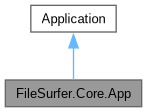
Inheritance diagram for FileSurfer.Core.App:
Collaboration diagram for FileSurfer.Core.App:
Public Member Functions | |
| override void | Initialize () |
| Initializes the application by loading XAML resources. | |
| override void | OnFrameworkInitializationCompleted () |
| Invokes FileSurferSettings.Initialize and sets Application.RequestedThemeVariant theme. | |
Properties | |
| static ? IPlatformBootstrap | Bootstrap [get, set] |
Detailed Description
The App class serves as the entry point for the FileSurfer application, handling application-wide initialization and setup.
It configures global resources, themes, and the main window, ensuring that the application's settings and appearance are properly applied.
Member Function Documentation
◆ Initialize()
|
inline |
Initializes the application by loading XAML resources.
◆ OnFrameworkInitializationCompleted()
|
inline |
Invokes FileSurferSettings.Initialize and sets Application.RequestedThemeVariant theme.
Configures the main window with the appropriate DataContext.
Here is the call graph for this function:

Property Documentation
◆ Bootstrap
|
staticgetset |
The documentation for this class was generated from the following file:
- /home/janecea/Documents/CODE/PROJECTS/FileSurfer/src/FileSurfer.Core/App.axaml.cs